This is a short note to cover initial and very basic network configuration on Ubuntu 22.04 image preliminary loaded to EVE-NG simulator. Here is the part of topology we’re planning to configure:
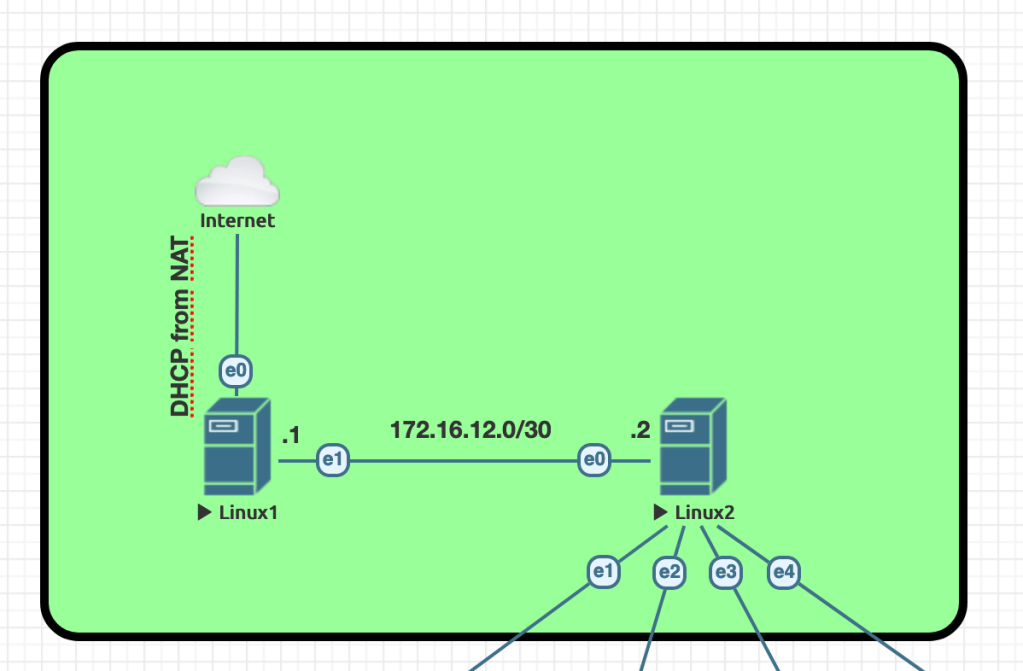
Since all VMs were deployed from the same image we have to rename servers and verify that we have basic connectivity to the internet from Linux1:
:$ sudo hostnamectl hostname linux1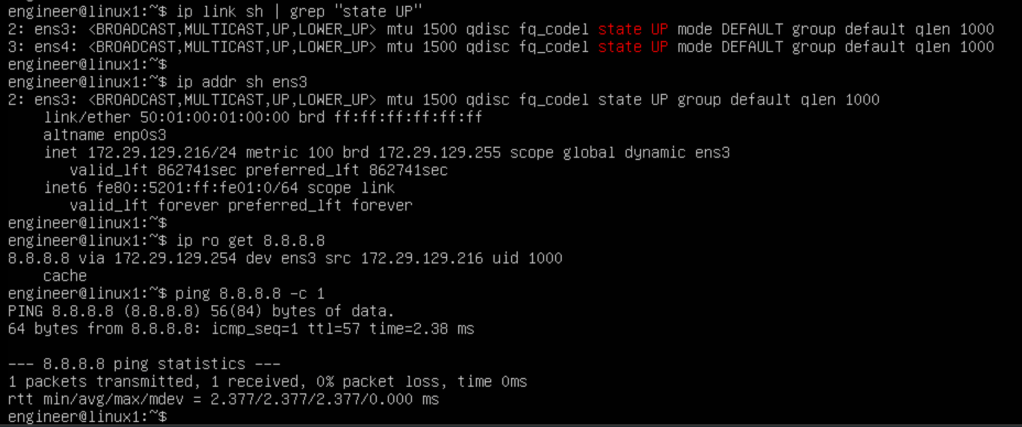
Basic commands to verify network state provided on the screenshot above
As a next step we have to configure interconnect between Linux1 and Linux2. This will be done by static ip address configuration in the netplan settings. I’ve just added ip address under ens4 interface settings and applied “netplan apply” command:
:$ sudo netplan apply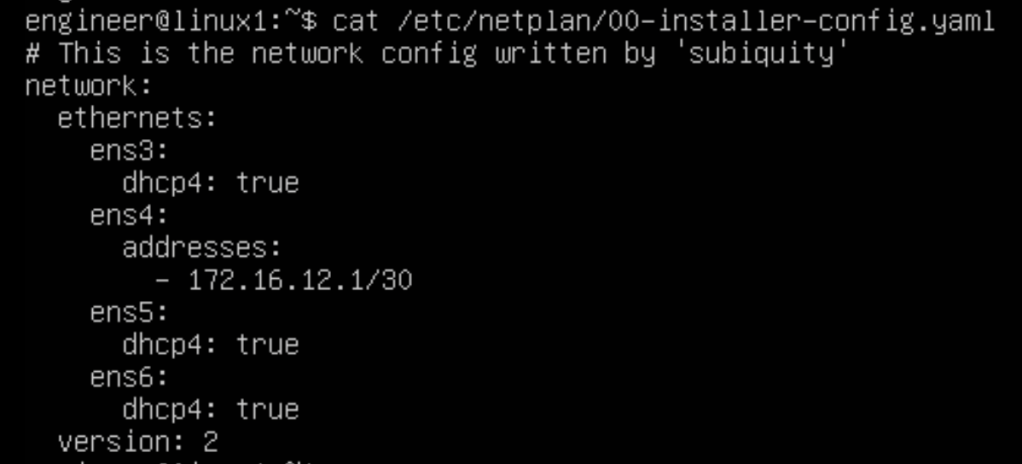
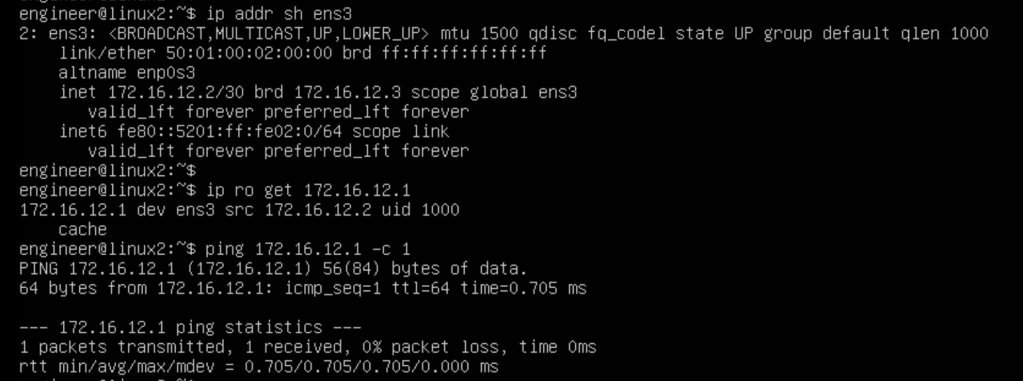
We’ll complete the same settings on the Linux2 VM and make sure both VMs can ping each other:
In the next steps we’ll perform more advanced configuration using FRR, bridge-utils and etc.
 Yet another Blog
Leave a comment