Download the Linux iso image (ubuntu server Linux 22.04 iso). You can choose your favorite one. I’m downloading directly to the EVE-NG server using wget and terminal:
Move the downloaded ISO image to the directory and rename the file to cdrom.iso (copy from your machine or from the folder where it was initially downloaded), and switch to the directory created earlier:
~$ sudo mv ubuntu-22.04.2-live-server-amd64.iso /opt/unetlab/addons/qemu/linux-ubuntu-server-22.04/cdrom.iso
~$ cd /opt/unetlab/addons/qemu/linux-ubuntu-server-22.04/
Create future HDD for the Linux template. I picked 20G since we don’t expect to store a large amount of data on these VMs:
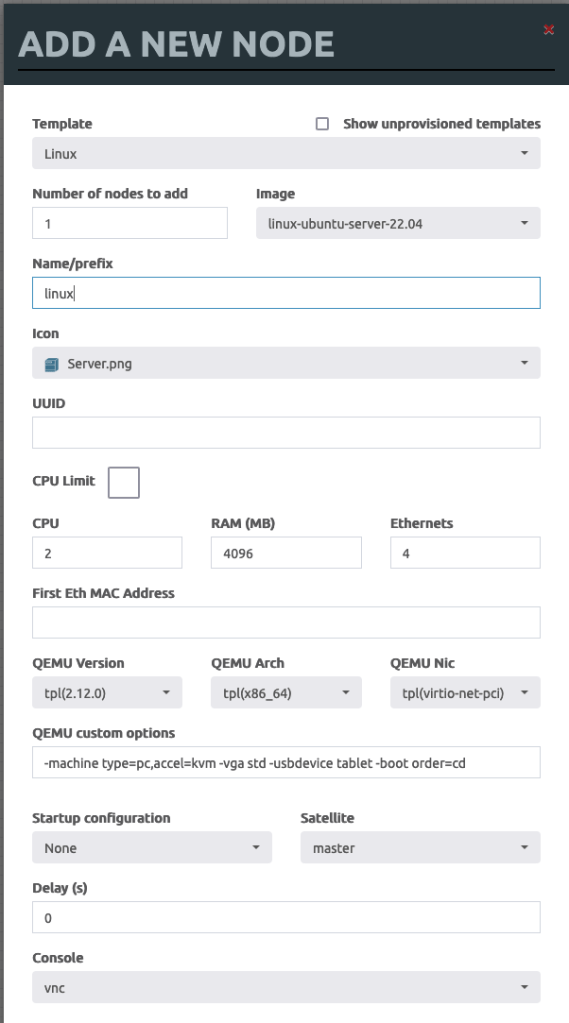
Create Lab and add a new VM in the lab environment, upgrade, and customize before converting it into the template.
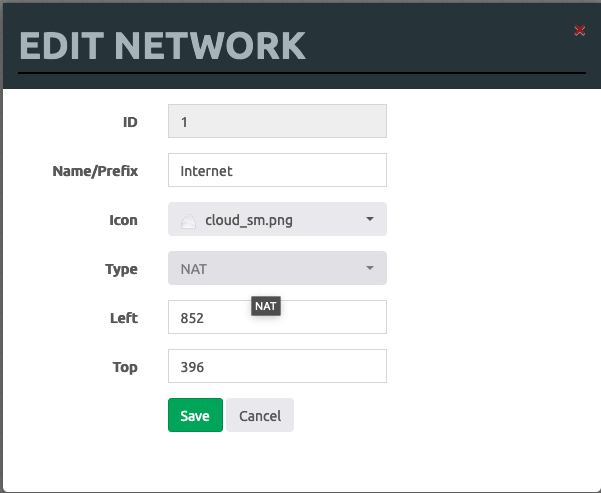
Create an Internet cloud to provide Internet access for the future template:
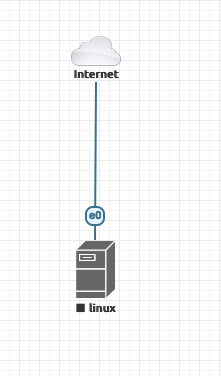
Connect future Linux template to the Internet cloud to download all necessary packages.
I’ll not be covering Ubuntu server installation since many online tutorials exist. I’ll mention that during my installation process, I’ve added some network-related packages listed below:
docker
ifenslave
bridge-utils
frr
Power of the VM after it was customized and pre-configured with all required packages. Find the VM and commit the disk:
 Yet another Blog
Leave a comment